
For serial number range FHZ1229B11094 - FHZ1229B11369 Focus on the last 6 digits after the - since the preceding values can be dealer specific.
Element Tuning Hydra EMS Tech Support Package, Base Map, and Software download Version "Nemesis 2.6." For when you need more than just the software we can provide you with a tuned base map, software, and some online tuning support for Hydra EMS. Please provide us in the order notes your Hydra serial number, year/make/model car, if it has an engine swap, and what the engine modifications are.
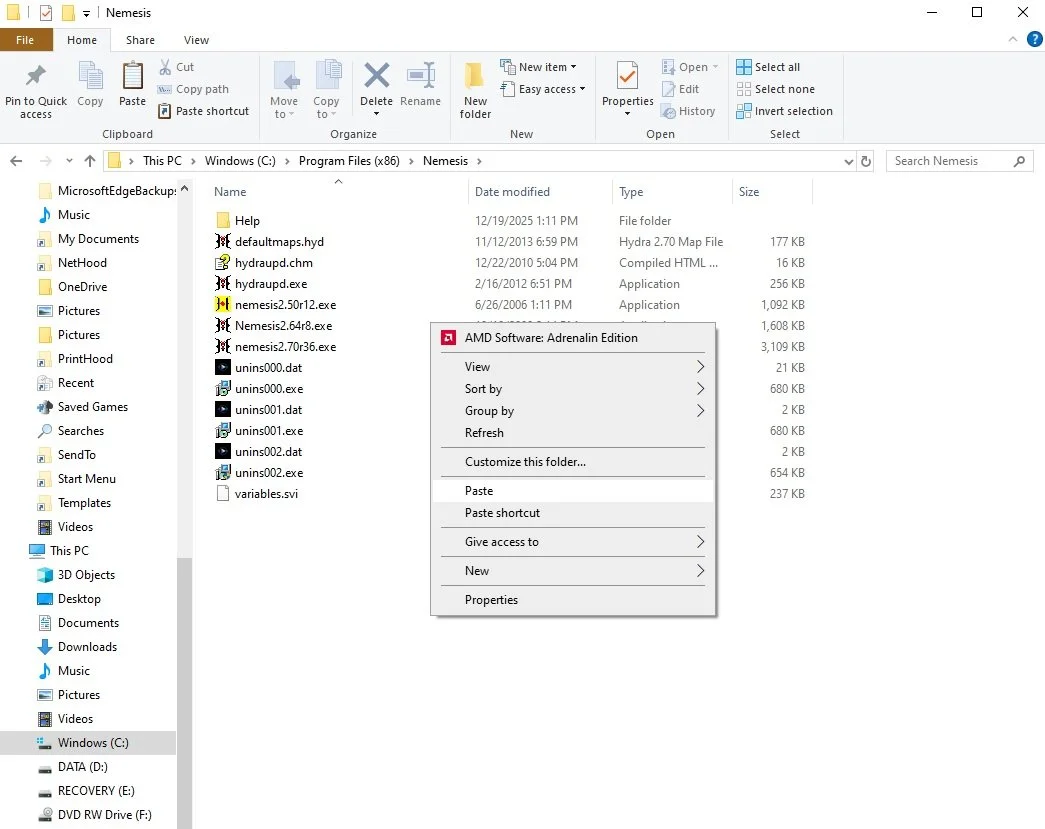
Installation Instructions: See Photos for more detail
With Windows versions after “XP” there are some non-automated steps you must perform. After you extract the .zip file, you will “right click” on the “Hydra2.64r8.exe” and you will “install as administrator.” Windows 10 and newer will install the shortcut for this program to your programs “Start Menu” under folder “Nemesis 2.64r8“ but the program shortcut link will be broken.
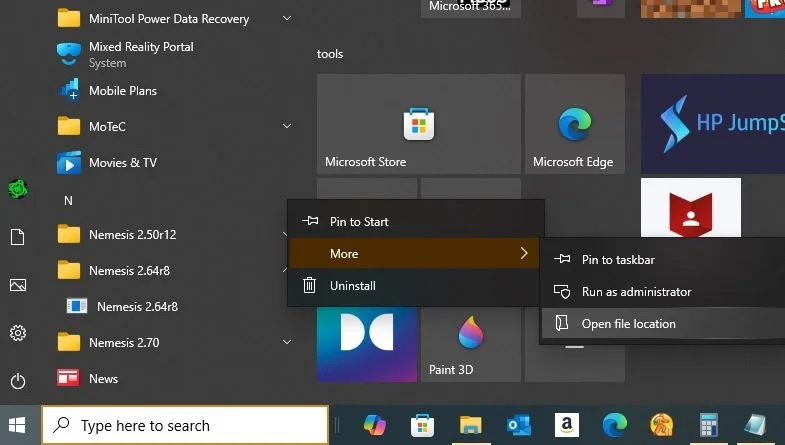
1) Right Click and select “More” and then “Open File Location.”
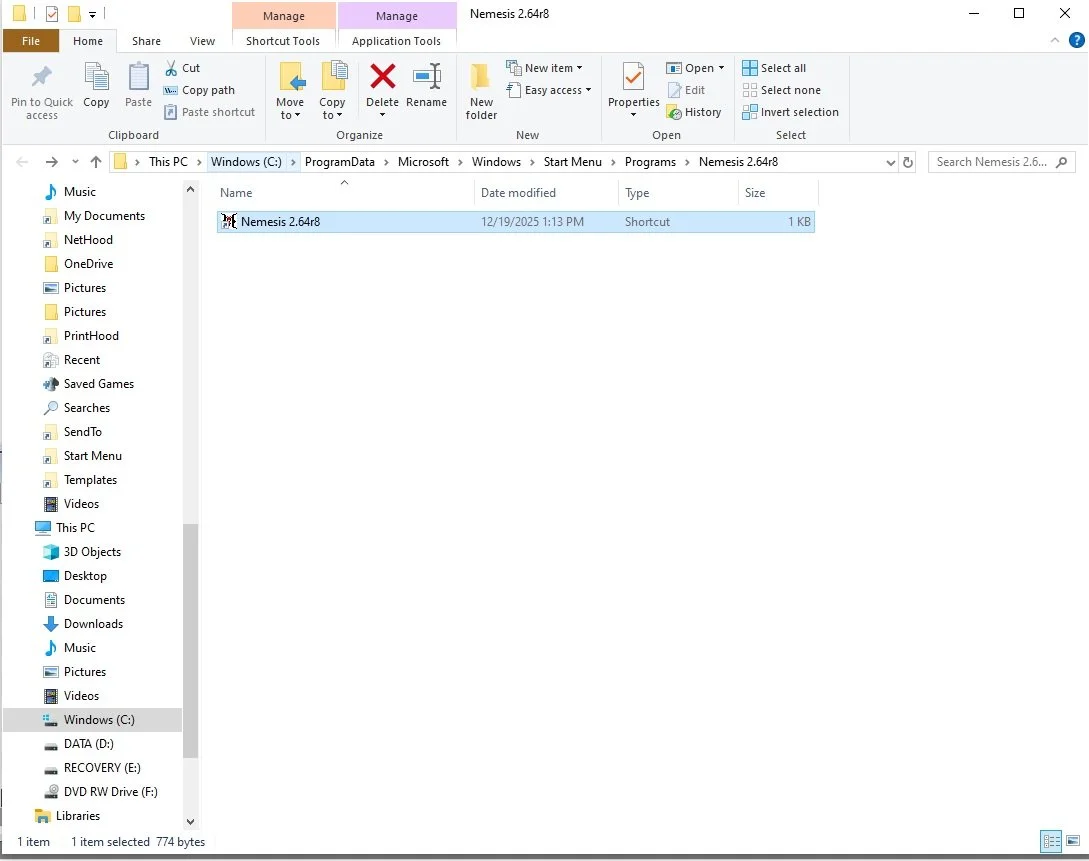
2) Then in the address bar, select “Windows (C:),” then folder “Program Files,” and then “Nemesis.”
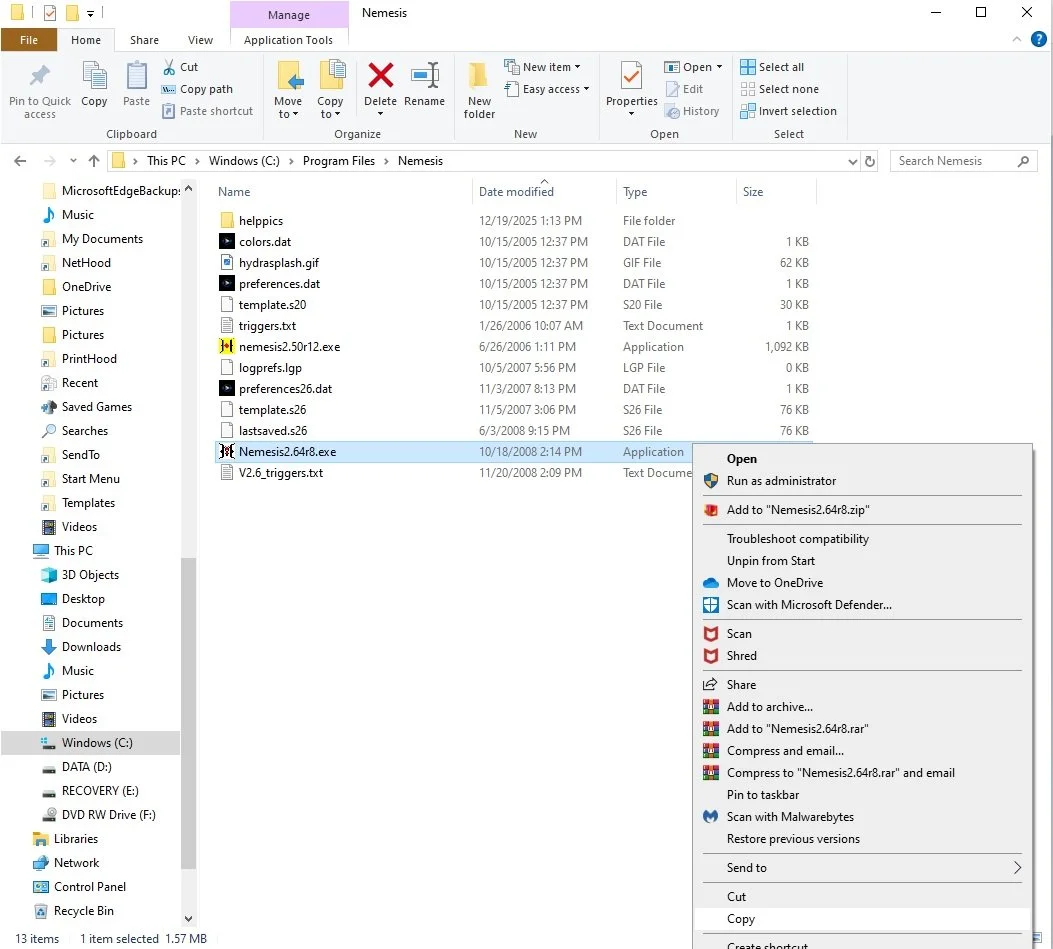
3) Right click on “Hydra2.64r8.exe” and select “Copy”
4) Then in the address bar, select “Windows (C:),” then folder “Program Files (x86),” and then right click and “paste.“
Your program will now open from the “Programs Start Menu.”
*Easier Option*
On Step 3, when you right click on “Hydra2.64r8.exe,” instead, select “Pin To Taskbar” and you can simply open your program from there.
Element Tuning Hydra EMS Tech Support Package, Base Map, and Software download Version "Nemesis 2.6." For when you need more than just the software we can provide you with a tuned base map, software, and some online tuning support for Hydra EMS. Please provide us in the order notes your Hydra serial number, year/make/model car, if it has an engine swap, and what the engine modifications are.
Installation Instructions: See Photos for more detail
With Windows versions after “XP” there are some non-automated steps you must perform. After you extract the .zip file, you will “right click” on the “Hydra2.64r8.exe” and you will “install as administrator.” Windows 10 and newer will install the shortcut for this program to your programs “Start Menu” under folder “Nemesis 2.64r8“ but the program shortcut link will be broken.
1) Right Click and select “More” and then “Open File Location.”
2) Then in the address bar, select “Windows (C:),” then folder “Program Files,” and then “Nemesis.”
3) Right click on “Hydra2.64r8.exe” and select “Copy”
4) Then in the address bar, select “Windows (C:),” then folder “Program Files (x86),” and then right click and “paste.“
Your program will now open from the “Programs Start Menu.”
*Easier Option*
On Step 3, when you right click on “Hydra2.64r8.exe,” instead, select “Pin To Taskbar” and you can simply open your program from there.
For serial number range FHZ1229B11094 - FHZ1229B11369 Focus on the last 6 digits after the - since the preceding values can be dealer specific.